Web Designer
“Could we add a resource library and connect one more integration before launch?”
For fixed-price freelancers & small agencies
Scopemark helps you compare a client’s new request with the original agreement, decide how to handle what changed, price the impact, and send the professional next step.
One-time payment · No monthly subscription · Checkout handled by Whop
“The site looks great. Could we add a blog before launch? It should be quick.”
The work changed.
The fee did not—yet.
The familiar pattern
Small requests→extra hours→unchanged project fee
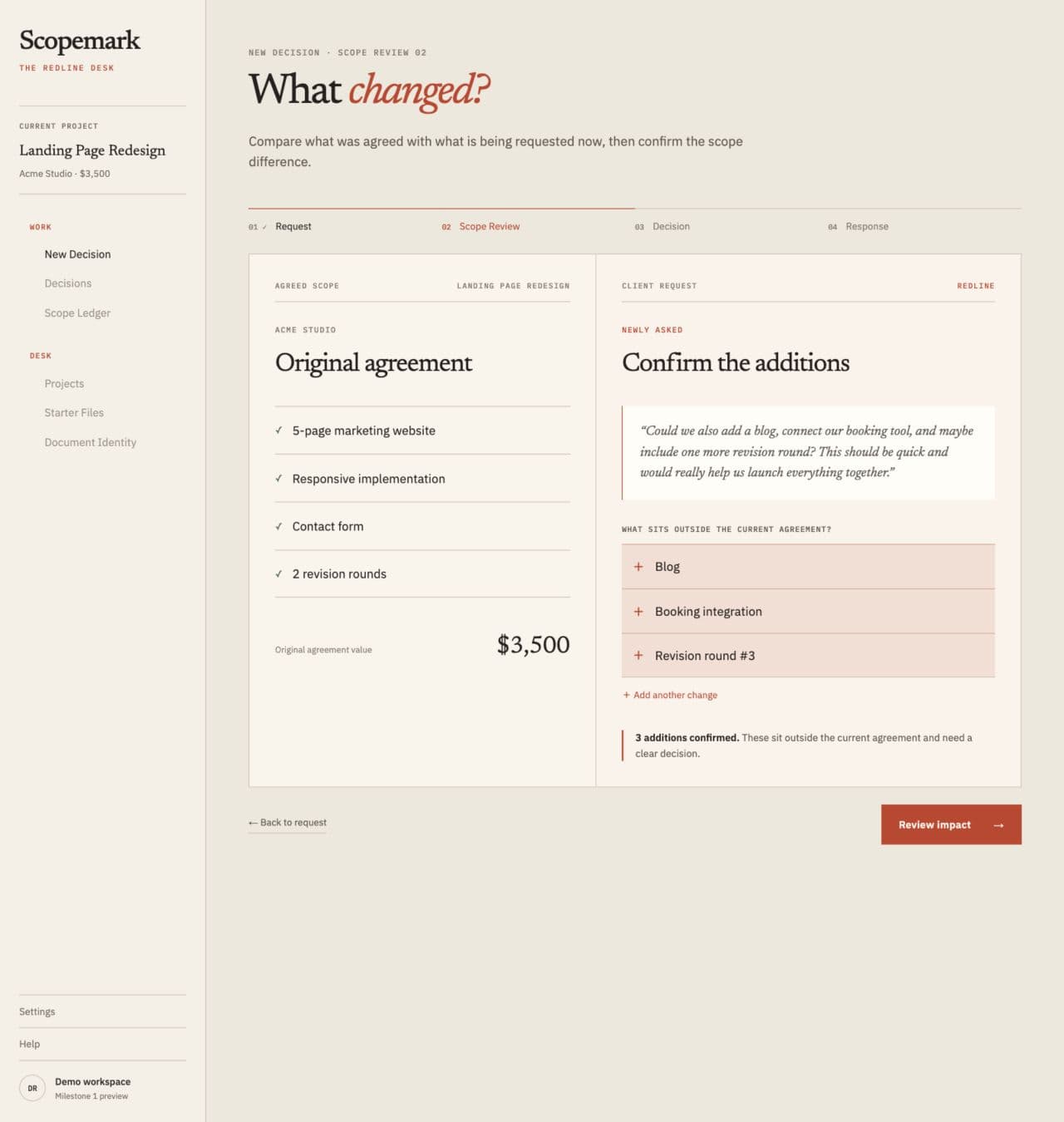
The Scope Diff
The client’s words stay intact. You explicitly confirm what changed before choosing the commercial response.
Acme Studio
Newly asked
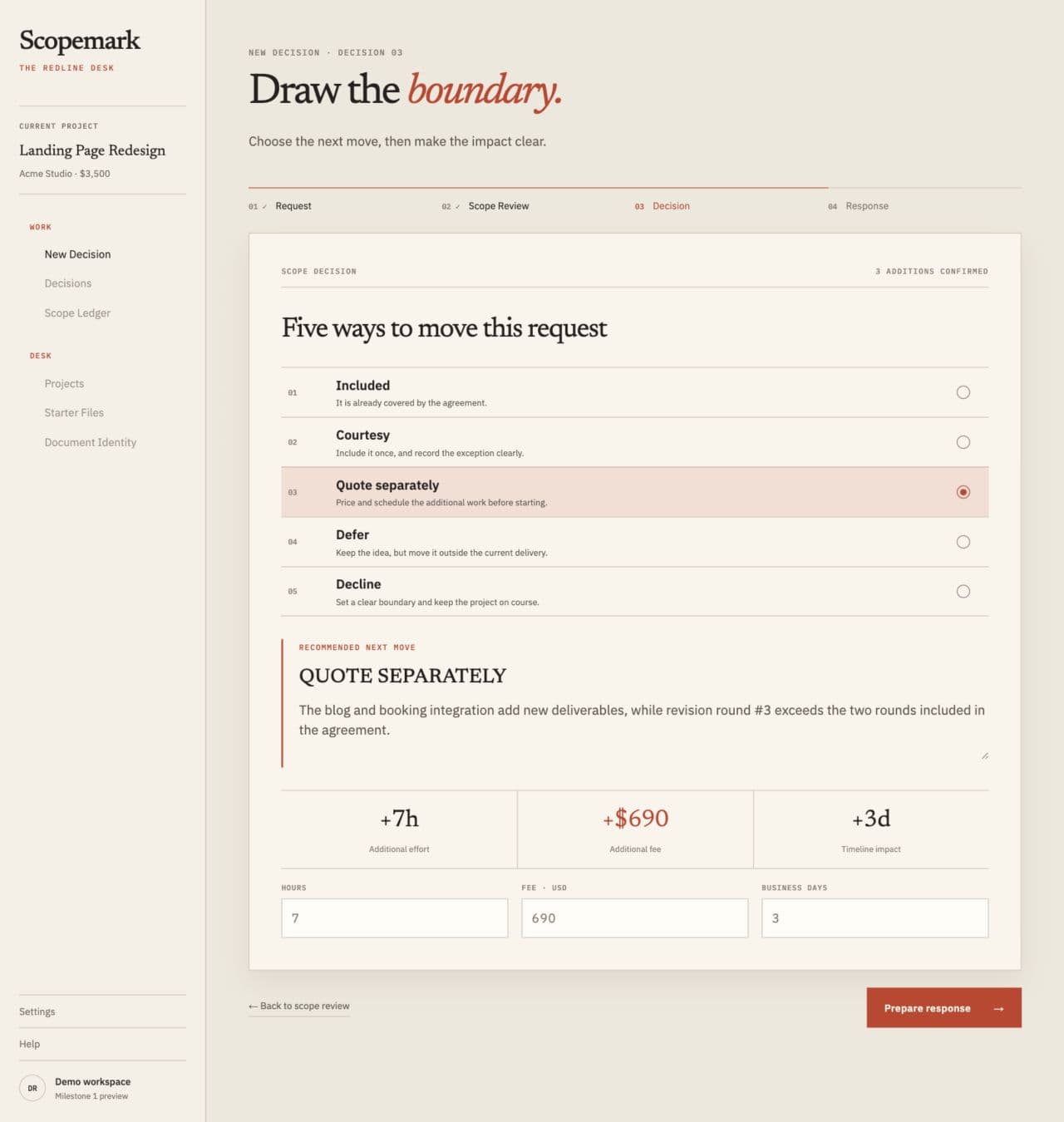
Decision
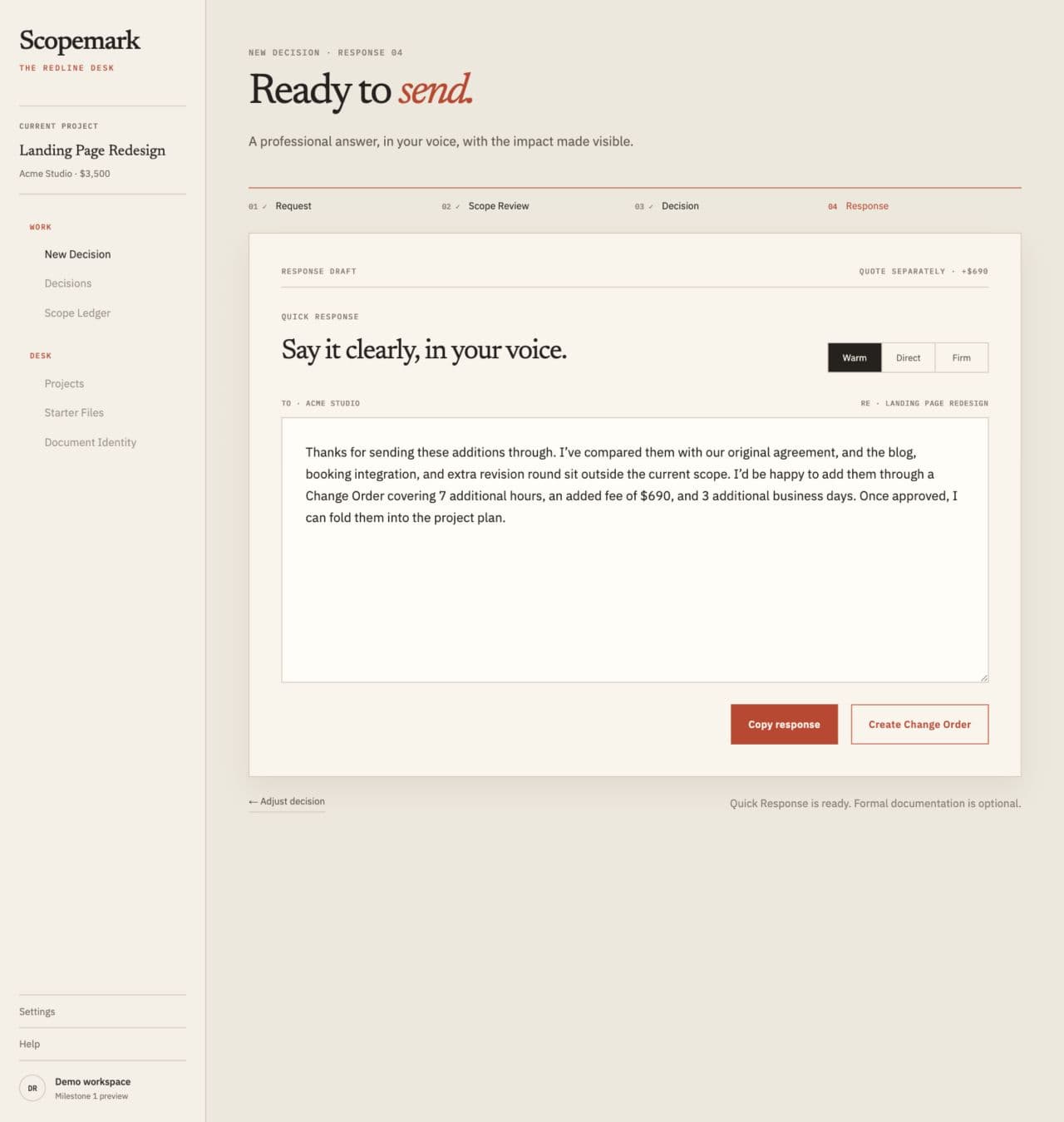
Ready to send · Warm
Thanks for sending these additions through. I’ve compared them with our original agreement, and the blog, booking integration, and additional revision round sit outside the current scope. I’d be happy to add the confirmed scope through a Change Order covering 7 additional hours, an added fee of $690, and 3 additional business days.
How it works
Keep the client’s exact words as the starting point.
Compare it with the scope and confirm what changed.
Choose the decision, hours, fee, and delivery effect.
Copy a professional reply or formalize a Change Order.
Not another CRM
Scopemark works alongside the tools you already use for projects, communication, CRM, and invoicing. It stays focused on the moment a new request needs a documented commercial decision.
A focused system, not a blank prompt
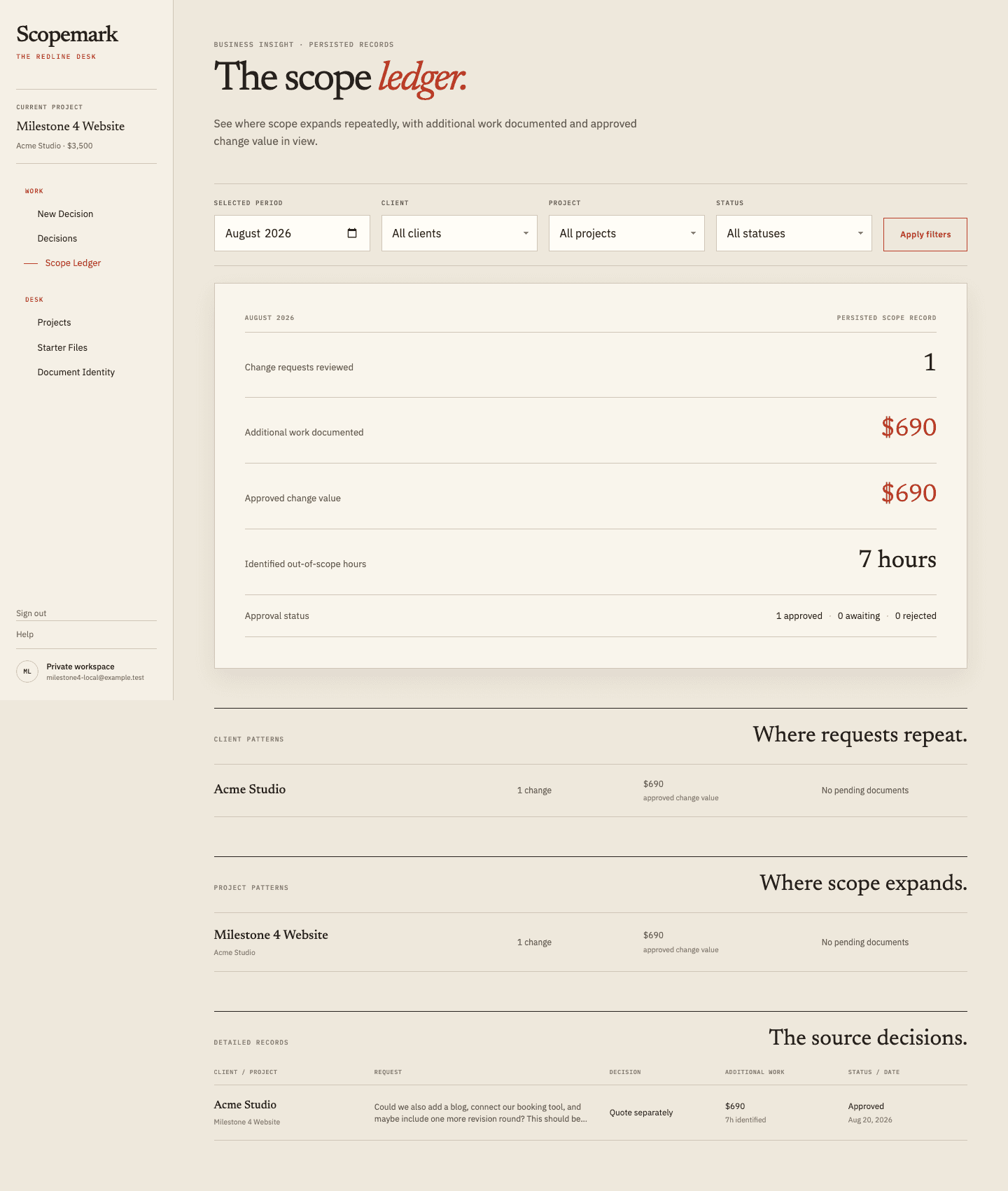
A general writing assistant can help with words. Scopemark keeps the request connected to the project boundary and what happened next.
Built for fixed-price work
“Could we add a resource library and connect one more integration before launch?”
“Can we see two more concepts and add social templates to the final files?”
“Could the campaign include another channel and a second reporting cut?”
The Redline Desk
Real screens from the implemented Scopemark workflow—document-led, restrained, and built around the Scope Diff.
Website redesign
Original agreement
$3,500.00 · 5 weeks
Client request
“Could we also add a blog, connect our booking tool, and include one more revision round?”
Confirmed requested changes
Added scope
Matches the confirmed requested changes above.
Quote separately. The request adds new deliverables and exceeds the agreed revision allowance.
Notes
Additional work begins after written approval.
Awaiting approval
This sample records a requested project change. The original agreement and client approval remain the source of truth.
A better sequence
Client asks → hesitation → informal yes → scope expands → original fee remains
Client asks → compare scope → decide → price impact → professional response → written documentation
Lifetime access
Purchase through Whop and keep access tied to the Scopemark account you use at checkout. The current offer and final total are shown securely before payment.
Questions before you begin
No. Scopemark helps you document a project change and prepare a Change Order. It is not legal advice, and it does not guarantee that a document is enforceable in a particular jurisdiction.
No. Scopemark is deliberately narrower. Keep using your existing project, CRM, invoicing, and communication tools; use Scopemark when a client request may change the deal.
No. Starter Files help you define the original boundary, but the core product connects that scope record to the client request, your confirmed Scope Diff, decision, impact, response, and optional Change Order.
No. You confirm what changed and choose one of five commercial responses: Included, Courtesy, Quote separately, Defer, or Decline.
Account and project records are persisted in Supabase. Protected logos and Change Order PDFs use private storage where implemented. Payment-card details are handled by Whop, not Scopemark.
A one-time purchase grants ongoing access tied to the Scopemark account used for checkout, with no monthly subscription. It does not promise every possible future product or uninterrupted service forever.
Yes. The professional Quick Response is the primary outcome. A Change Order is optional when the change needs more formal documentation.